FSMO Roles Transfers
Flexible single master operation (FSMO) Transfers
The first domain controller established in a new forest initially contains all of the FSMO roles. The first domain controller in each domain initially contains all three of the domain FSMO roles (RID, PDC, Infrastructure). Once additional domain controllers are promoted, FSMO roles can be transferred. Provided the source and target role holder domain controllers are online, FSMO roles can be transferred using MMC consoles.
Before demoting a domain controller, transfer the roles to other reliable domain controllers. If a domain controller holds a FSMO role at the time of a demotion, it will attempt to automatically transfer the role to another domain controller.
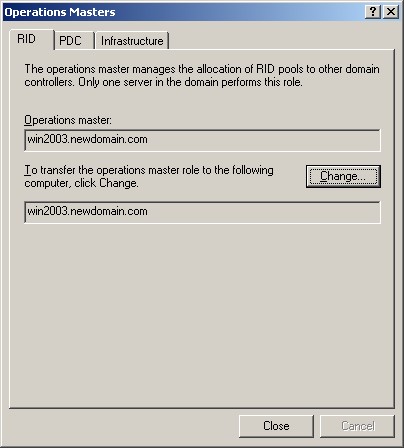
Active Directory Users and Computers Manager is used to transfer the three domain roles (RID, PDC, Infrastructure).
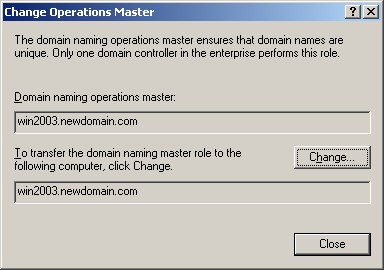
Active Directory Domain and Trusts Manager is used to transfer the Domain Naming Master.
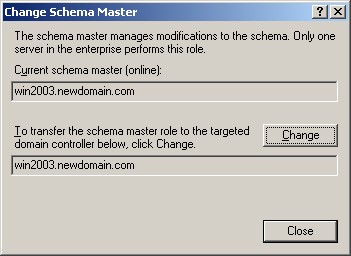
Schema Manager is used to transfer the Schema Master.
Schema Management
The schema can be can be viewed and changed with the MMC Schema Management snap-in. By default, this snap-in is not available until it is registered with the command
- Register the Schema Snap with this command, RUN regsvr32 schmmgmt.dll
- Run MMC, File menu, Add\Remove Snap-in, click the Add button and select, Active Directory Schema
- Select Active Directory Schema, Right Click, Operations Master.
Under normal circumstances, there is no reason to change the schema with the MMC snap-in. The default schema installed with Windows is appropriate and sufficient for the vast majority of networks. The installation program for Exchange automatically updates the schema to support Exchange. The schema should only be changed to support software that is designed to store information in the AD. The software installation setup program should automatically update the schema if necessary. The MMC snap-in should only make changes to correct setup errors.
Be cautious about making any schema changes, because schema changes must be replicated to every domain controller in the enterprise.
Seizing a FSMO Role when a role holder fails
If a domain controller holding a FSMO role fails, try to get the server online again. None of the FSMO roles are immediately critical, so it is not a problem to them to be unavailable for hours or even days. If a domain controller becomes unreliable, get it operational, and transfer the FSMO roles to a reliable computer. If a domain controller with a FSMO role cannot be restarted, it is possible for another domain controller to seize the FSMO role. If the RID, schema, or domain naming FSMOs are seized, then the original domain controller must not be activated in the forest again. It is necessary to reinstall Windows if these servers are to be used again. In the case of the PDC and infrastructure FSMO roles, it is possible to transfer the role back to the original domain controller. Only seize a FSMO role if absolutely necessary when the original role holder is not connected to the network. All roles can be seized by running NTDSUTIL from the command line.
Before seizing a FSMO role, determine which server is most up-to-date with respect to the failed server. Each domain controller maintains a USN Update Sequence Number, showing how up-to-date it is with other domain controllers. The USNs can be displayed using the REPADMIN /SHOWVECTOR command.
A working server can seize a FSMO role from a dead server, but it is easier to transfer the role when both servers are operational.
The following table summarizes the utility used to seize a FSMO role.
|
FSMO Role |
Utility |
Later Actions |
|
PDC |
MMC or NTDSUTIL |
Can transfer back to original |
|
Infrastructure |
MMC or NTDSUTIL |
Can transfer back to original |
|
RID |
NTDSUTIL |
Original must be reinstalled |
|
Schema |
NTDSUTIL |
Original must be reinstalled |
|
Domain Naming |
NTDSUTIL |
Original must be reinstalled |
Security
FSMO management is restricted to the appropriate administration group.
|
FSMO Role |
Administrative Group |
|
Domain Naming |
Enterprise Admins |
|
Schema |
Schema Admins |
|
RID, PDC, Infrastructure |
Domain Admins |