Mac access to Fileserver
Mac access to File-server
If you allow a Windows PC to access your Snow Leopard files, you’ll also probably want to putter around with files on a Windows PC. Accessing files on Windows computers relies on the Samba component (a part of the UNIX foundation of Mac OS X). Follow these steps:
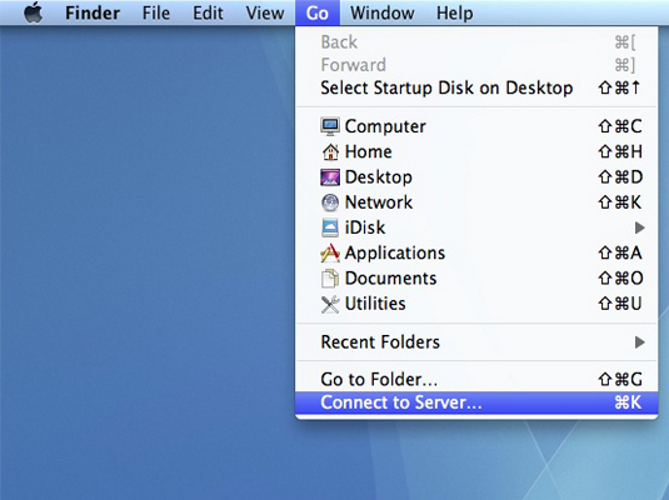
- Choose Go→Connect to Server from the Finder.
- In the Address box, enter smb://<ip address>.
- Click the Connect button.
- Select the desired shared drive to mount from the pop-up menu.
- Mount the shared drive according to the Windows version.
If you’re accessing a file shared on a Windows NT, 2000, XP, or Vista computer: Click the Authenticate button. Then enter your username and password, click OK, and then click OK again to mount the share.